For remodelers and trade contractors
Get the extra work signed before you do it.
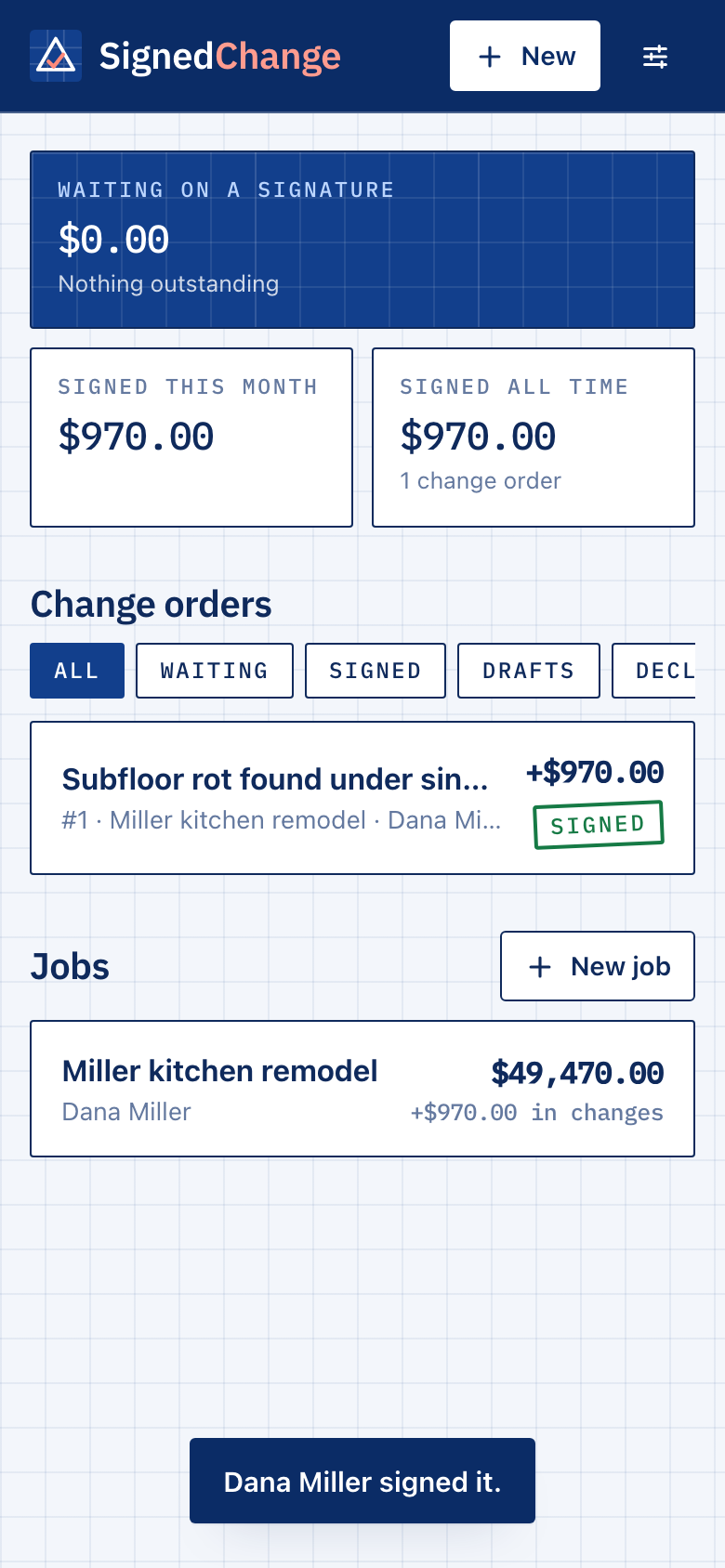
Write the change on your phone. Text your client a link. They read it, see the new total, and approve it with a finger. You both get a signed PDF.
First 3 change orders free. No card. Your client needs no app and no account.
“While you’re in there, can you just…”
You say yes, because the wall is already open and the client is standing right there. Six weeks later the final invoice is $2,400 higher than the contract and nobody remembers agreeing to anything. You eat it, or you fight about it.
The fix is old and boring: get it in writing first. The reason nobody does is that the paper form is in the truck. SignedChange makes it take about a minute, standing in the kitchen.
One minute, three steps
- 1
Write it
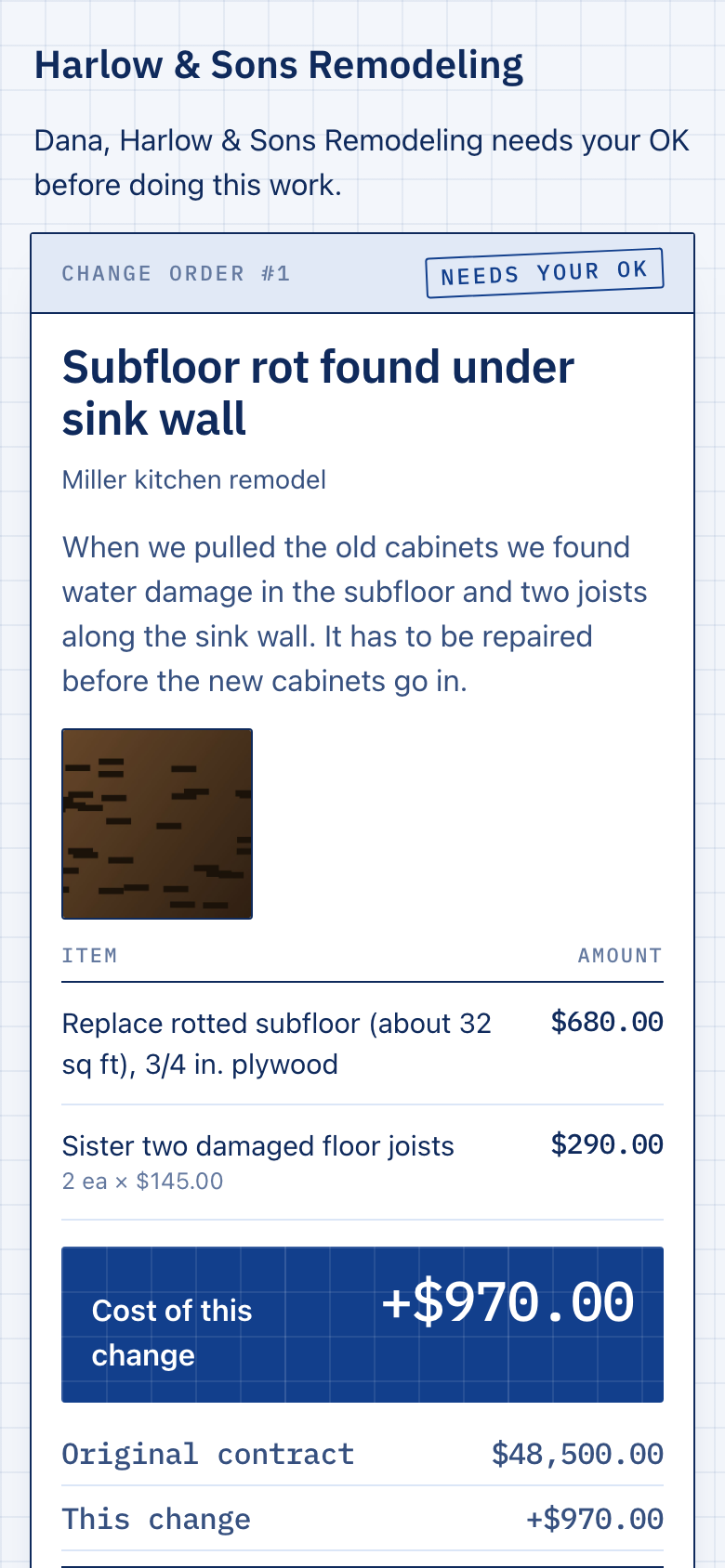
What changed, what it costs, how many days it adds. Add photos of what you found. Dictate it if your hands are dirty.
- 2
Text the link
It goes from your own number, so your client knows it’s you. You see the moment they open it.
- 3
They sign with a finger
They see the price, the new contract total and the schedule change, then sign. You get a notification and keep working.
What you walk away with
- A signed PDF with the client’s signature, the time, and the device address it came from.
- A running contract total for every job: original contract, each signed change, and what is still waiting.
- A record that can’t be rewritten. Once a change order is signed, nobody can edit or delete it. Not the client, not you, not us.
- Photos on the document, so “what rot?” is answered before it is asked.
- Credits too. When the client drops the pantry, send the credit the same way.
- Your name on it. Your logo, license number and terms on every one.
One unpaid change costs more than years of this
Pro
$29/month
- Unlimited change orders and jobs
- Unlimited photos and PDFs
- Cancel any time; your signed records stay downloadable
Early access: everything is unlimited at no charge right now. We will tell you well before that changes.
No per-signature fees. No cut of your jobs. No contract.
Just need the form?
Fill in a change order and print it for a pen signature. Free, no account.
Questions contractors ask
Is a signature on a phone actually binding?
In the United States, the federal ESIGN Act and the Uniform Electronic Transactions Act adopted by nearly every state give electronic signatures the same standing as ink for most contracts. SignedChange records what the law looks for: the signer agreed to sign electronically, the exact document they saw, when, and from where. Some states have extra rules for home-improvement contracts, so ask your attorney how change orders should read where you work. This is not legal advice.
Does my client need to download anything?
No. They tap the link in your text and the change order opens in their phone’s browser. No app, no account, no password.
What if they want something different?
They can decline and leave a note. You pull the change order back, revise it, and send it again. The record keeps every step.
Can I fix a mistake after it’s signed?
Not by editing it. That is the point: a signed change order that could be edited would be worth nothing in a dispute. Send a new change order or a credit, and the client signs that too.
I already use estimating or job software. Do I have to switch?
No. SignedChange does one thing and sits beside whatever you use. You can export every change order to a spreadsheet at any time.
What trades is it for?
Anyone who does work under a contract and gets asked for extras: remodelers, builders, electricians, plumbers, HVAC, painters, roofers, landscapers, flooring, concrete.